If you have recently tried to login to your GitHub account from git you may have encountered this error. Luckily it’s not that hard to fix, let me show you how.
1. First of all verify your email address, if it hasn’t been verified yet.
2. Go to github.com/settings/tokens/new, you can find this menu in:
Settings > Developer Settings > Personal Access Token.
3. Set expiration to No Expiration, since we just want to use this password like before. You can ignore the warning.
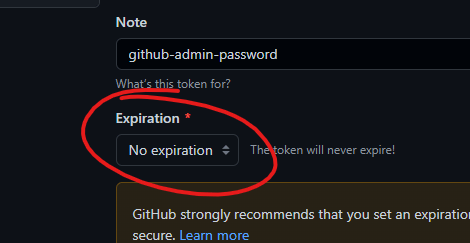
4. Under select scopes just check everything, that way you don’t have to worry about any errors popping up while using this generated password/token.
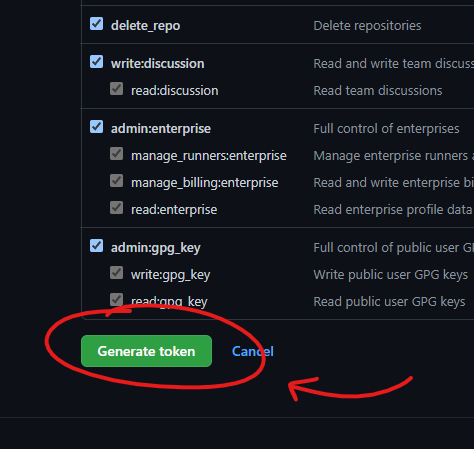
5. Click «Generate Token», and copy the new password as you won’t be able to access it later. I recommend putting the token in a text file and store it in a cloud, like Drive/Dropbox/iCloud. That way you will never lose it even if your change computer.
6. In the terminal you can now paste in the token when prompted for your password and voila you should be logged in!
Sometimes companies do things for random reasons and this is most probably one of them. Why GitHub make you go through this rigmarole is beyond me, but this method solves the issue. This is in no way more secure than the passwords we were already using so it’s probably just a case of GitHub trying to keep up appearances of a secure site. They will probably add more random complexities, so bookmark this blog as i will release more great tutorials in the future.
 I just want info
Just making sure, this post is satire, right?
LikerLiker